
A Lambda Labs alternative at 69% lower cost
See how Fluence compares with Lambda Labs across GPU pricing, deployment choice, provider flexibility, software control, and production workload fit.
A Lambda Labs alternative at 69% lower cost
See how Fluence compares with Lambda Labs across GPU pricing, deployment choice, provider flexibility, software control, and production workload fit.

Fluence vs Lambda Labs at a glance
Category
Fluence
Lambda Labs
Best for
Flexible production GPU workloads
Turnkey NVIDIA instances and managed clusters
Cloud model
Multi-provider GPU marketplace
Single-provider AI cloud
Deployment options
Containers, VMs, bare metal
GPU VMs, 1-Click Clusters, Superclusters
GPU availability
Capacity across providers and regions
Self-serve instances from 1 to 8 GPUs
Software setup
Preset or custom environments
Lambda Stack preinstalled on Ubuntu
Pricing model
Hourly rates with zero egress fees
Per-minute billing with zero egress fees
Fluence vs Lambda Labs at a glance
Fluence
Lambda Labs
Best for
Flexible production GPU workloads
Turnkey NVIDIA instances and managed clusters
Cloud model
Multi-provider GPU marketplace
Single-provider AI cloud
Deployment options
Containers, VMs, bare metal
GPU VMs, 1-Click Clusters, Superclusters
GPU availability
Capacity across providers and regions
Self-serve instances from 1 to 8 GPUs
Software setup
Preset or custom environments
Lambda Stack preinstalled on Ubuntu
Pricing model
Hourly rates with zero egress fees
Per-minute billing with zero egress fees
Compare the real cost of GPU compute
A useful comparison starts with the same GPU model, interface, count, region, and supporting resources. Fluence gives teams a clearer view of available marketplace rates before deployment. Need another GPU model or configuration? Share your requirements and the Fluence team will help identify a suitable option.

Compare the real cost of GPU compute
A useful comparison starts with the same GPU model, interface, count, region, and supporting resources. Fluence gives teams a clearer view of available marketplace rates before deployment. Need another GPU model or configuration? Share your requirements and the Fluence team will help identify a suitable option.
Deploy GPU workloads in the format that fits


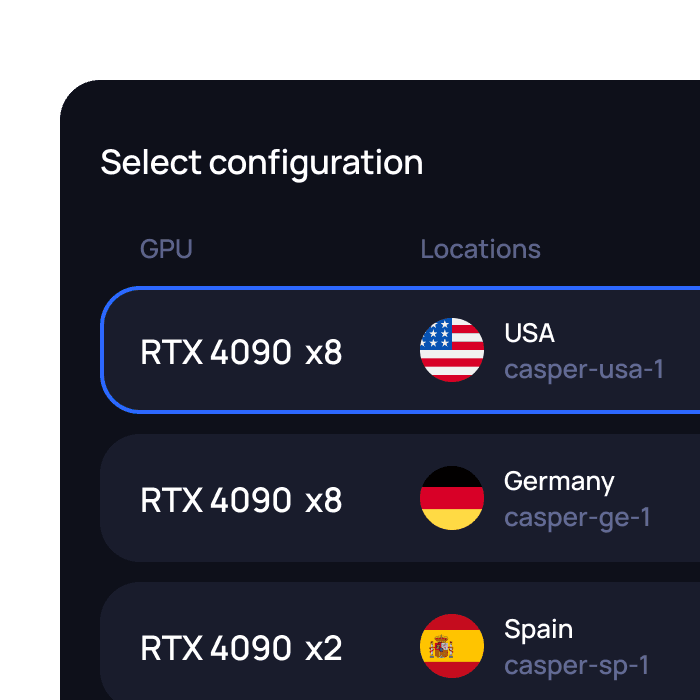
Deploy GPU workloads in the format that fits
How Fluence differs
How Fluence differs
Built for demanding GPU workloads
Fluence is well suited for:
Built for demanding GPU workloads
Fluence is well suited for:
Test Fluence with a single GPU workload
You do not need to move your entire Lambda Labs environment at once. Start with one representative workload and compare both platforms under real conditions.

1
Select a workload
2
Match the GPU configuration
3
Choose a container, VM, or bare-metal setup
4
Measure performance, setup, and total cost
5
Expand after the results meet your requirements
Test Fluence with a single GPU workload
You do not need to move your entire Lambda Labs environment at once. Start with one representative workload and compare both platforms under real conditions.
1
Select a workload
2
Match the GPU configuration
3
Choose a container, VM, or bare-metal setup
4
Measure performance, setup, and total cost
5
Expand after the results meet your requirements
FAQ
How is Fluence different from Lambda Labs?
Can Fluence reduce GPU costs compared with Lambda Labs?
Which GPU models are available?
How does GPU availability compare?
What deployment options does Fluence support?
Show more
FAQ
How is Fluence different from Lambda Labs?
Can Fluence reduce GPU costs compared with Lambda Labs?
Which GPU models are available?
How does GPU availability compare?
What deployment options does Fluence support?
Show more

Move beyond a single-provider GPU cloud
Compare GPU capacity across providers and run workloads with more choice over price, configuration, and deployment format.